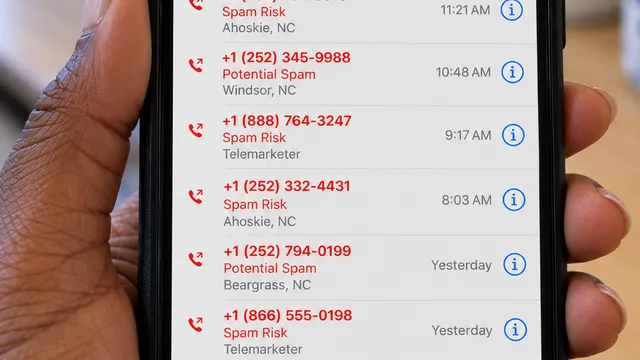
Your phone rings. The number looks familiar, perhaps even showing the same area code as your own. You answer, only to hear a recorded message about your Medicare benefits, an overdue payment, or a problem with your bank account. Sound familiar?
Unwanted phone calls have become a frustrating part of everyday life. Fortunately, your smartphone has several built-in tools that can help you take back control.
Why Do These Calls Look Local?
Scammers often use a technique called caller ID spoofing, which allows them to disguise the number they're calling from. A call that appears to originate in Bertie or a neighboring county might actually be coming from hundreds or thousands of miles away.
Some scammers even make their calls appear to come from government agencies, banks, or familiar businesses. Remember, just because a name or number appears on your screen doesn't mean the caller is who they claim to be.
You Don't Have to Answer Every Call
One of the simplest ways to avoid unwanted calls is to let unfamiliar numbers go to voicemail. If someone genuinely needs to reach you, they can usually leave a message.
Be especially cautious if a caller demands immediate payment, asks for personal information, or threatens consequences if you hang up. Legitimate organizations generally won't pressure you to provide sensitive information during an unexpected phone call.
If you're unsure whether a call is legitimate, hang up and contact the organization using a phone number from its official website, your account statement, or another trusted source.
Put Your Smartphone to Work
Both iPhones and Android phones offer features to help manage unwanted calls.
On an iPhone, open Settings, select Apps, then Phone. Look for options related to unknown callers, call screening, or spam filtering. Depending on your iPhone and software version, you may be able to silence calls from unknown numbers or have unfamiliar callers identify themselves before your phone rings.
On an Android phone, open the Phone app, tap the three-dot menu, and select Settings. Look for Caller ID & Spam or similar options. Many Android phones can identify suspected spam calls, and some offer automatic filtering or call screening.
Because Android phones vary by manufacturer, your settings may look a little different.
You can also block individual callers. Open your recent calls, select the unwanted number, and look for an option to block or report it.
One important thing to understand: blocking a number doesn't necessarily stop all spam calls. Scammers frequently change or disguise their numbers, so filtering tools are often more effective than blocking numbers one at a time.
What About the Do Not Call Registry?
The National Do Not Call Registry can help reduce legitimate telemarketing calls, but it won't stop criminals who ignore the law. Registration is free atthe National Do Not Call Registry website..
You can also report suspicious calls to the Federal Trade Commission atReportFraud.ftc.gov. Reporting helps authorities identify patterns and investigate scams.
Take Back Control
Your phone is supposed to make life easier, not interrupt your day with constant unwanted calls. Spending just a few minutes exploring your call settings can make a meaningful difference.
And remember, you don't owe every ringing phone an answer. Sometimes the smartest thing you can do is simply let it ring.