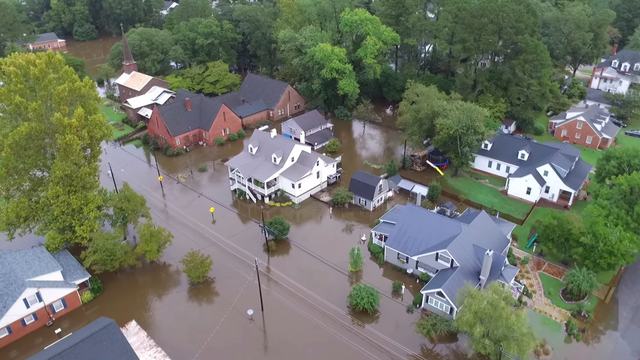
When we think about preparing for a natural disaster, we usually think about bottled water, flashlights, batteries, medications and other emergency supplies. But one of the most useful preparedness tools may already be in your pocket.
A little preparation now can turn your smartphone into a valuable source of information and assistance during hurricanes, floods, tornadoes and other emergencies.
Follow the Weather Experts
For reliable weather information, go directly to the source. The National Weather Service (NWS), part of NOAA, issues official forecasts, watches, warnings and other hazardous weather information for communities across the country. Visit weather.gov and enter your city or ZIP code to see your local forecast and active alerts.
During hurricane season, bookmark the National Hurricane Center (NHC). The NHC provides official tropical storm and hurricane forecasts, including forecast tracks, the familiar "cone of uncertainty," storm surge information, wind probabilities and forecast discussions.
Remember that the forecast cone shows the probable track of the center of the storm, not the entire area that could experience dangerous weather. Wind, storm surge, tornadoes and flooding can occur far outside the cone.
Digital literacy tip: Don't rely on social media posts or screenshots of old forecasts during severe weather. Check the date and time on weather information and return to NOAA, the National Weather Service or the National Hurricane Center for the most current official forecast.
Download Trusted Emergency Apps
The FEMA app is a great place to start. The free app provides weather alerts, preparedness information, disaster resources, and information about shelters and assistance. You can personalize the app for locations important to you, which can also help you keep an eye on conditions affecting family and friends.
North Carolina is part of FEMA Region 4, which serves eight southeastern states. Knowing your FEMA region is useful when looking for regional emergency information, updates and disaster resources. If you hear or see an announcement referring to "FEMA Region 4," that includes North Carolina.
The American Red Cross Emergency app is another useful resource. It provides National Weather Service alerts, live weather maps, preparedness guidance and information about open Red Cross shelters and services. You can monitor several locations, not just where you currently are, making it especially helpful if you have loved ones who live elsewhere.
Here in North Carolina, bookmark ReadyNC.gov as well. The North Carolina Emergency Management site provides information about shelters, evacuation information, road conditions, power outages, flooding and other emergencies affecting our state.
Make Sure Emergency Alerts Are Turned On
Wireless Emergency Alerts can warn you about dangerous weather and other emergencies in your immediate area. You don't need to download an app or subscribe to receive these government-issued alerts, but you should check your phone's notification settings to make sure emergency alerts are enabled.
You can also sign up for Bertie County emergency notifications. Bertie County uses Hyper-Reach, an emergency notification system that can send important local alerts to residents by phone, text message or email. These notifications can help keep you informed about severe weather, evacuations, road closures and other emergencies affecting our community.
Cell phone users must register their number to receive Hyper-Reach notifications. Visit the Bertie County Hyper-Reach registration page and enter your contact and address information. You can also contact Bertie County Emergency Management at 252-794-5302 for assistance signing up.
Set Up Your Emergency Medical Information
Would a first responder be able to find important medical information if you were unable to speak for yourself?
On an iPhone, open the Health app and set up your Medical ID. You can include information such as medical conditions, allergies, medications and emergency contacts. Be sure to enable Show When Locked so emergency personnel can access this information without needing your passcode.
Many Android phones offer similar features under Safety & emergency or through the Personal Safety app. Depending on your device, you may be able to add medical information and emergency contacts, make that information available from your lock screen, and configure Emergency SOS features.
Prepare for Losing Power or Internet Service
Your smartphone is only useful if you can keep it working. Before severe weather arrives, fully charge your phone and portable power banks. Keep charging cables with your emergency supplies and consider having a backup power source.
Don't depend entirely on internet access, either. Save or screenshot important phone numbers, insurance information, medication lists, evacuation information and other documents you might need. Keep important information somewhere other than your phone, too. A simple paper contact card in your wallet or emergency kit can still be invaluable when batteries die or networks are unavailable.
Most importantly, don't wait until an emergency to learn how these tools work. Spend a few minutes setting them up today, practice finding your emergency features, and help family members do the same.
A smartphone can't replace a well-stocked emergency kit or a family emergency plan, but when it is properly prepared, it can become an important part of both.